
The problem: invoices in email are a time sink
Imagine never having to search for invoices in your inbox, sort them manually, or worry about missing one. This automation saved me over 2 hours a month spent moving invoices from email into wFirma and filing them in Google Drive.
In this guide I'll show you how I built a system that fully automatically moves invoices from your inbox straight into accounting — with zero input from you.
Watch the video walkthrough
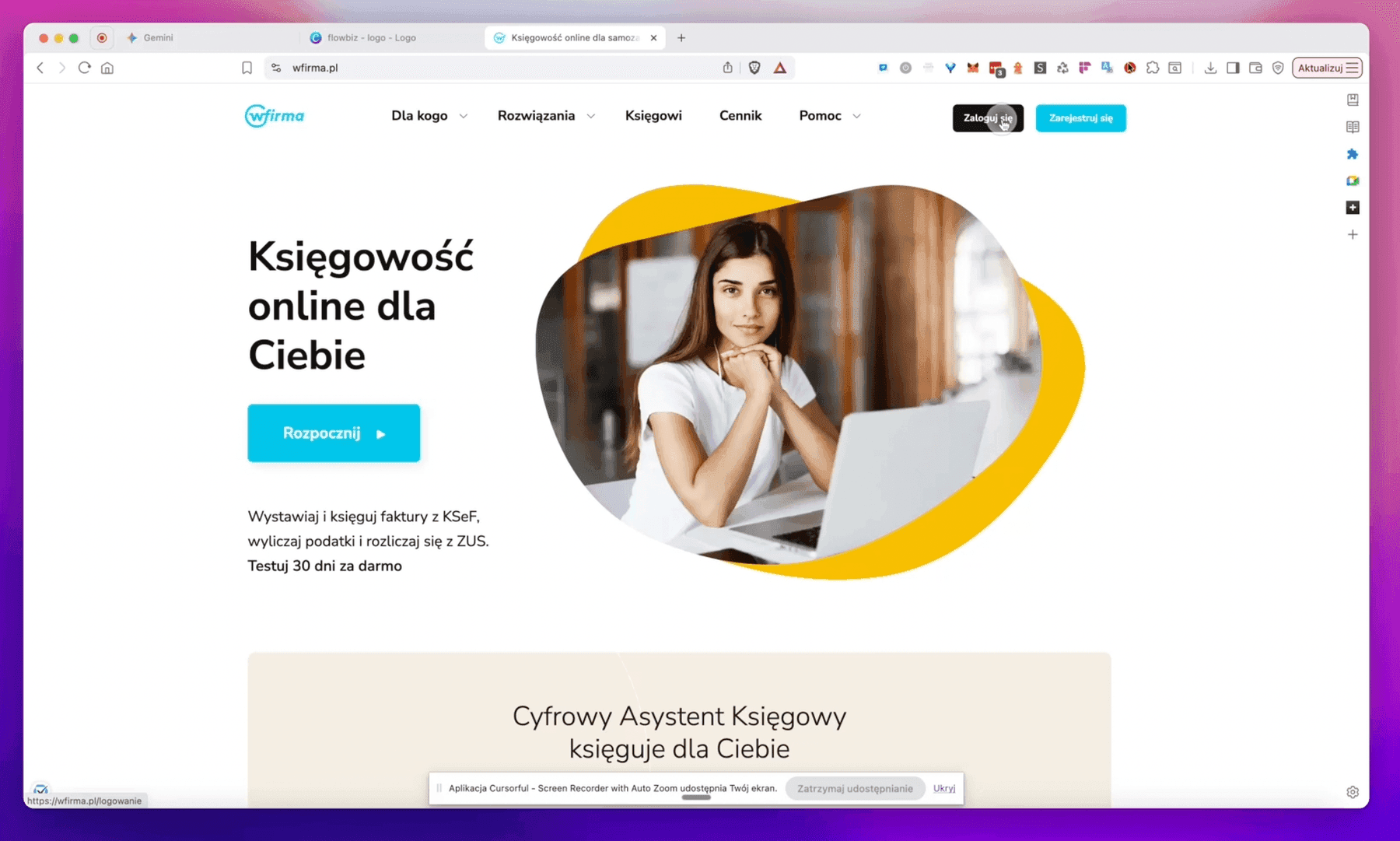
Step 1: configuring wFirma and Dropbox
We start in wFirma. Log in and head to Settings in the top-right corner (click the user icon).
Add a cloud folder
- Open the Integrations and Cloud Drives
- Click Add a cloud folder
- Pick Dropbox as the provider
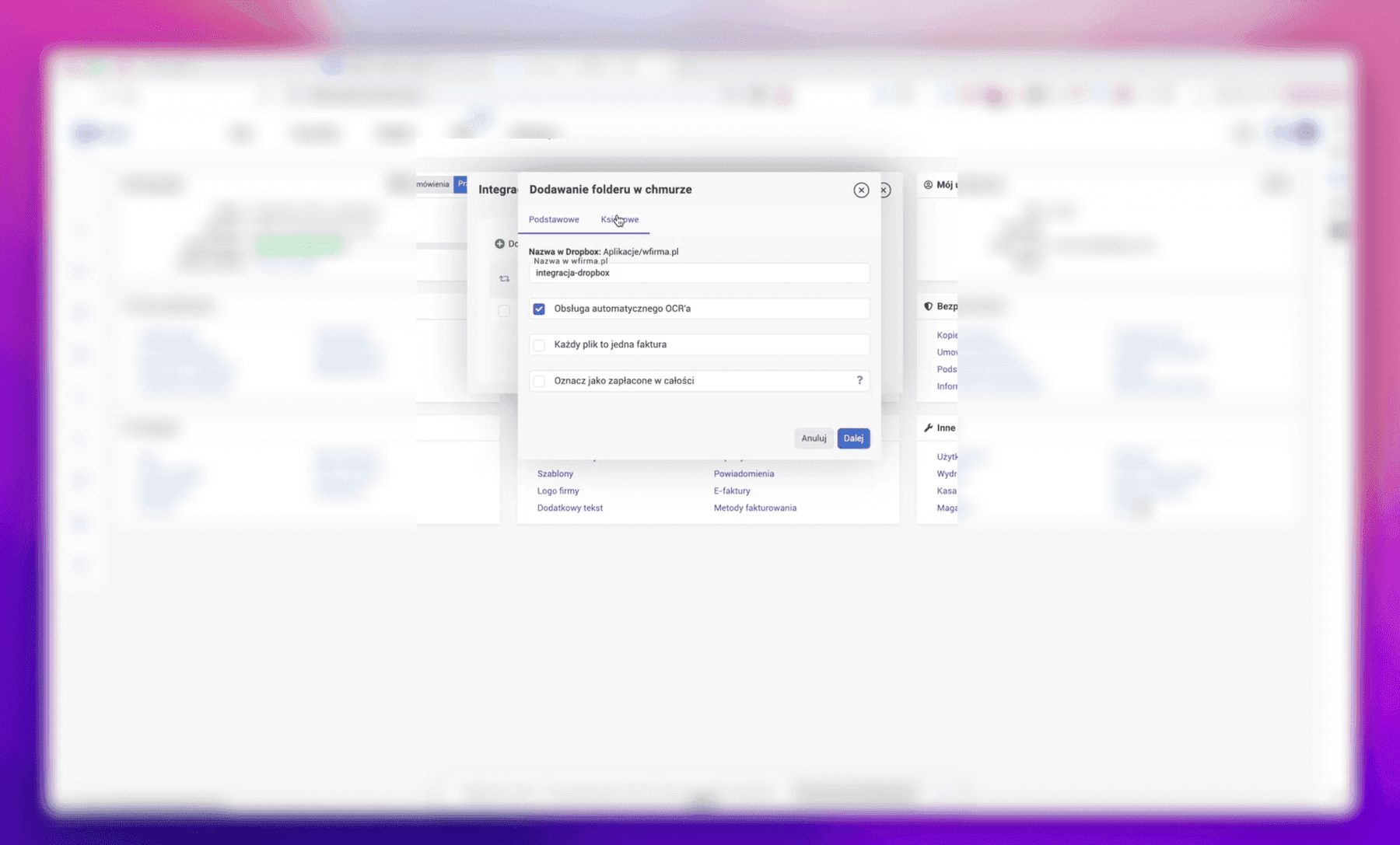
OCR settings
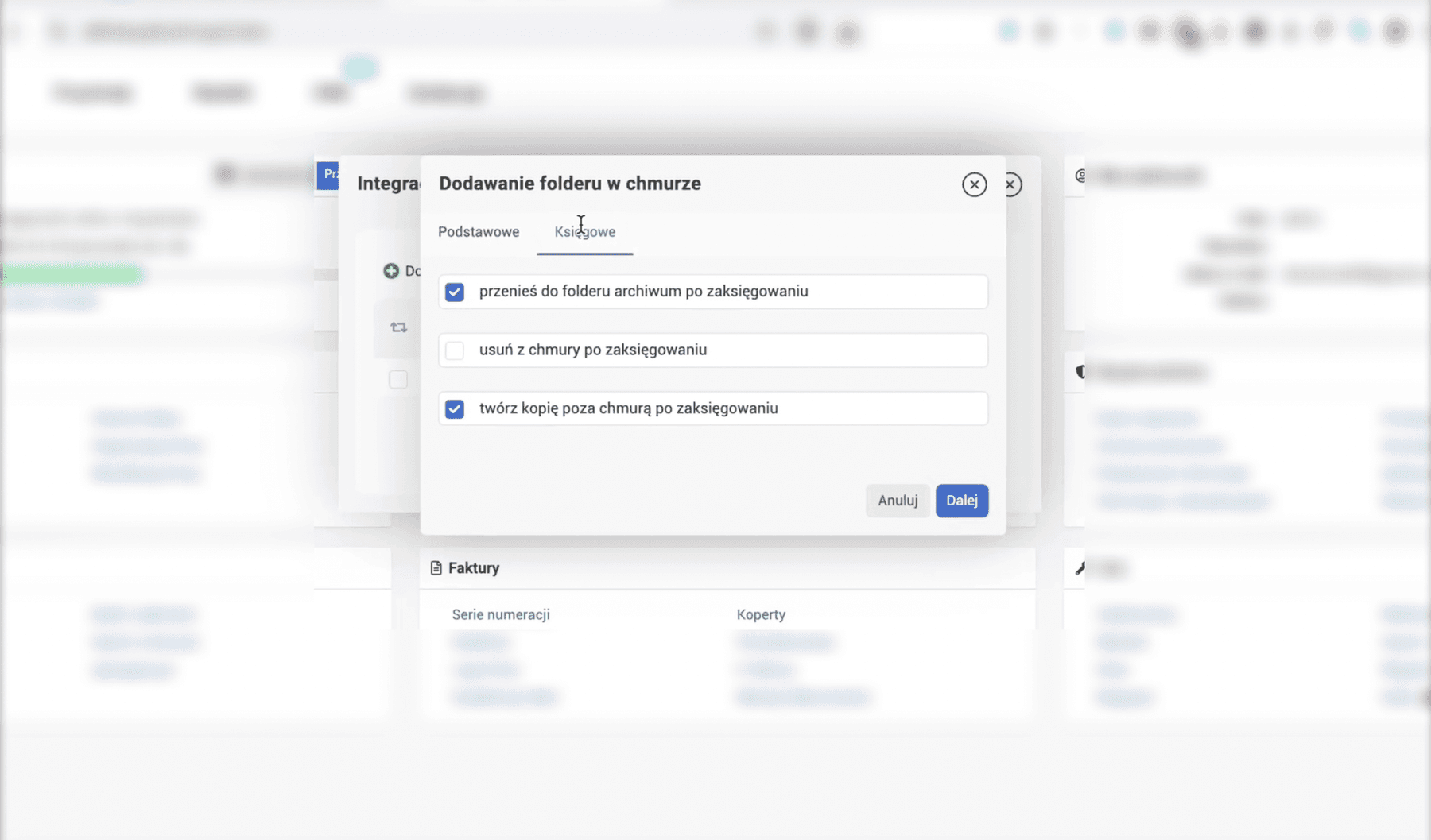
Tick automatic OCR processing. This way invoices get read by the system automatically. Under the Accounting tab you can configure extra options:
- Move to the “archive” folder once posted
- Delete from the cloud once posted
- Create a copy outside the cloud once posted
Step 2: building the Make.com scenario
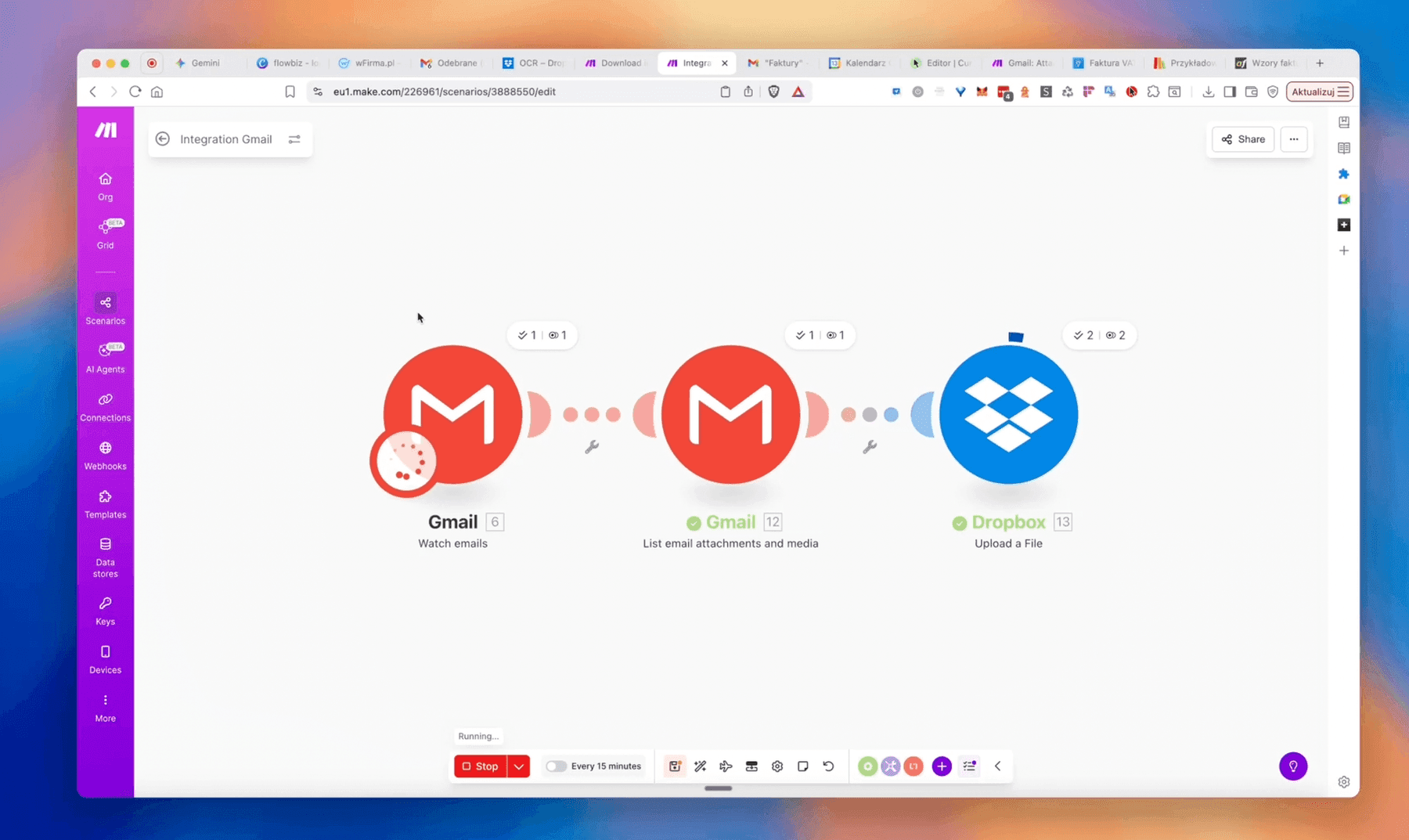
Log into make.com and click Create Scenario.
Module 1: Gmail — Watch Emails
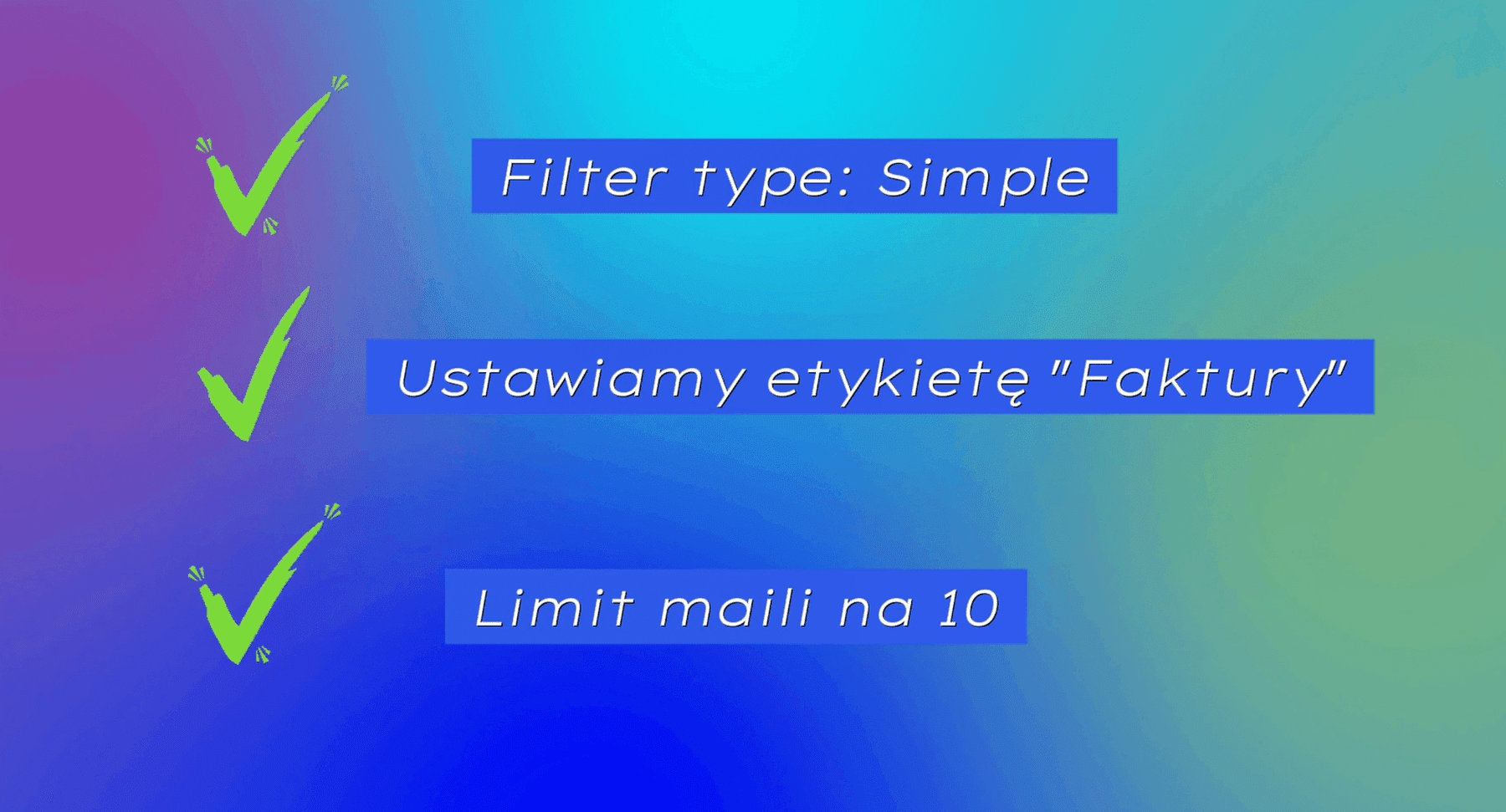
The first element is Gmail with the Watch E-Mails action. Once added, log into Gmail and create a connection. Also create a label called Invoices — you'll tag the emails you want processed with it.
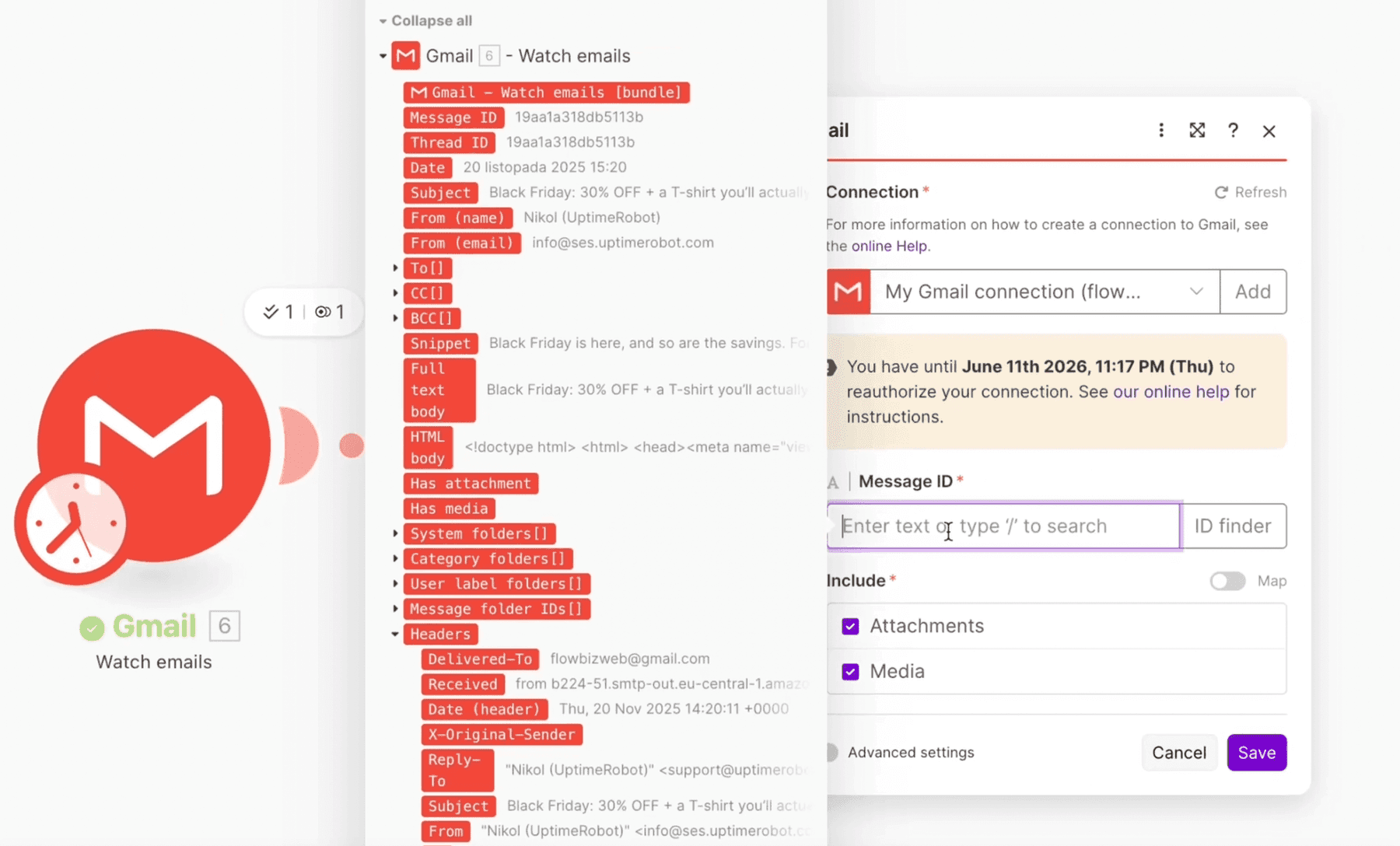
Module 2: Gmail — List Attachments and Media
Add another element, List Attachments and media. It will read every attachment from the email — remember to wire up the Message ID from the previous element.
Module 3: Dropbox — Upload a File
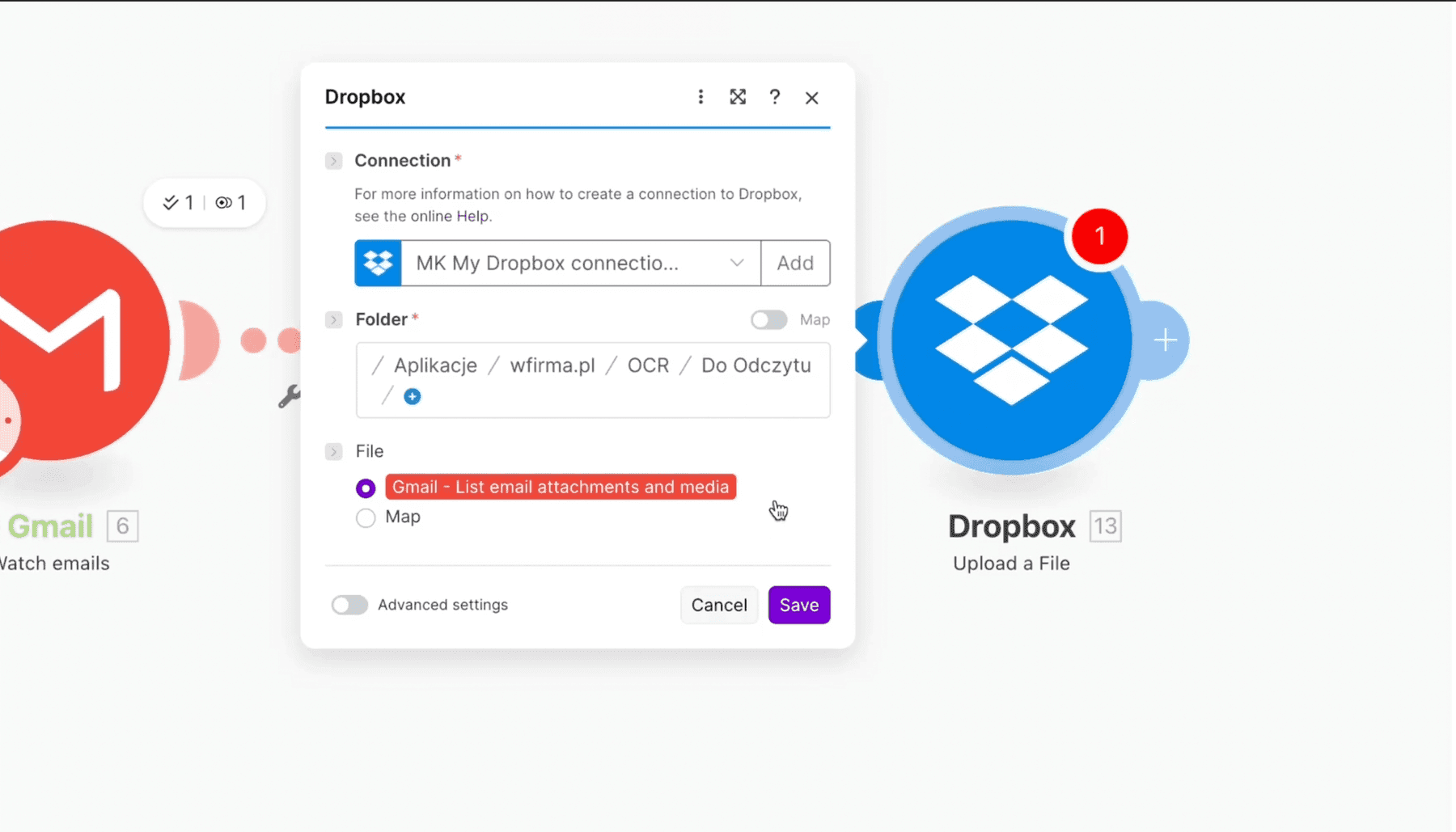
Add the Dropbox module with the Upload a file action. Configure the connection and set the path:
/Aplikacje/wfirma.pl/OCR/Do Odczytu
Step 3: filtering out unwanted files
To avoid feeding junk to OCR we set a MIME-Type filter between reading attachments and uploading to Dropbox. This filters out files that wFirma can't process.
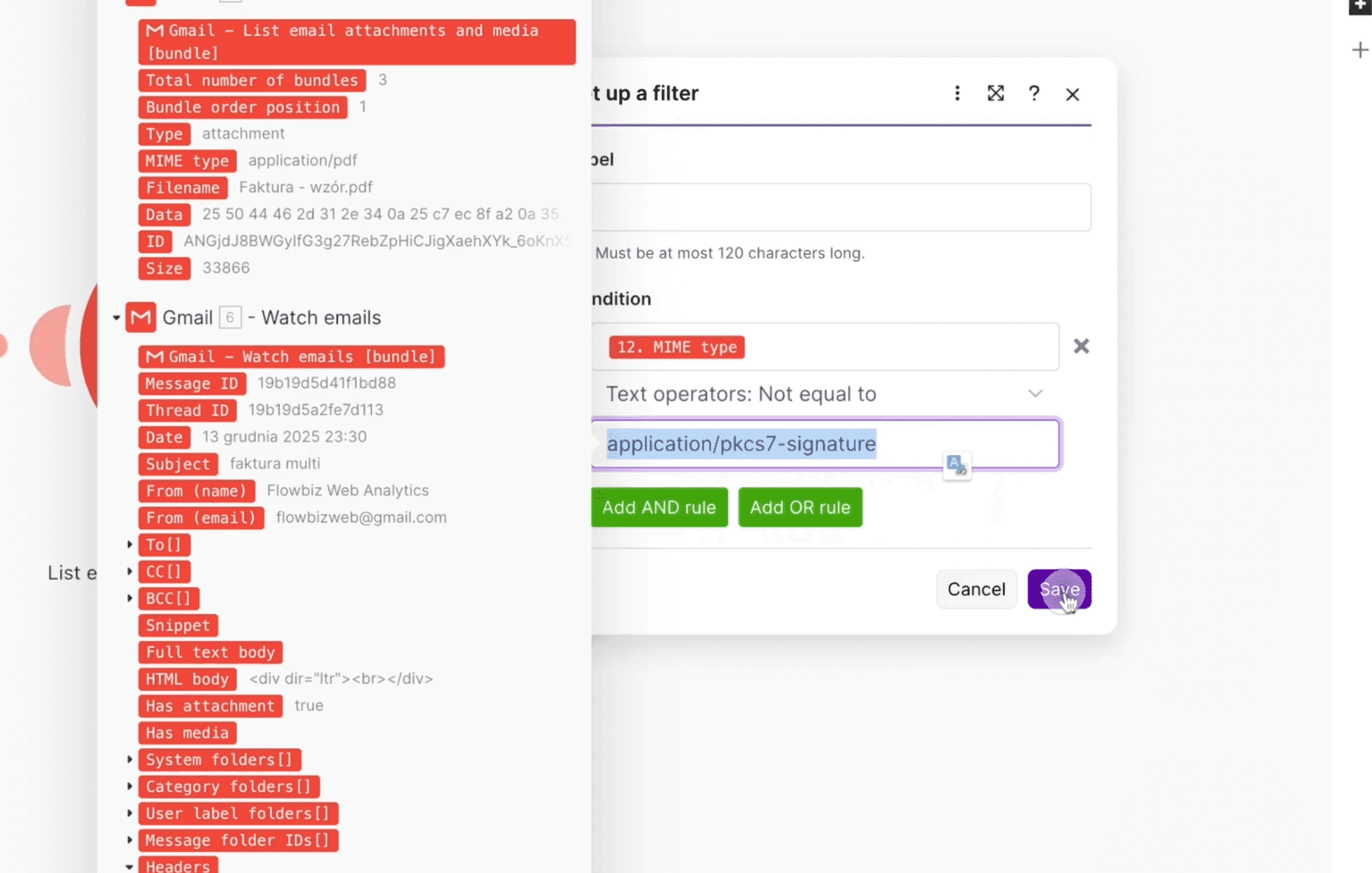
Depending on what you need you can also restrict to PDFs only, ignore images or DOC files.
Step 4: cost optimization — Array Aggregator
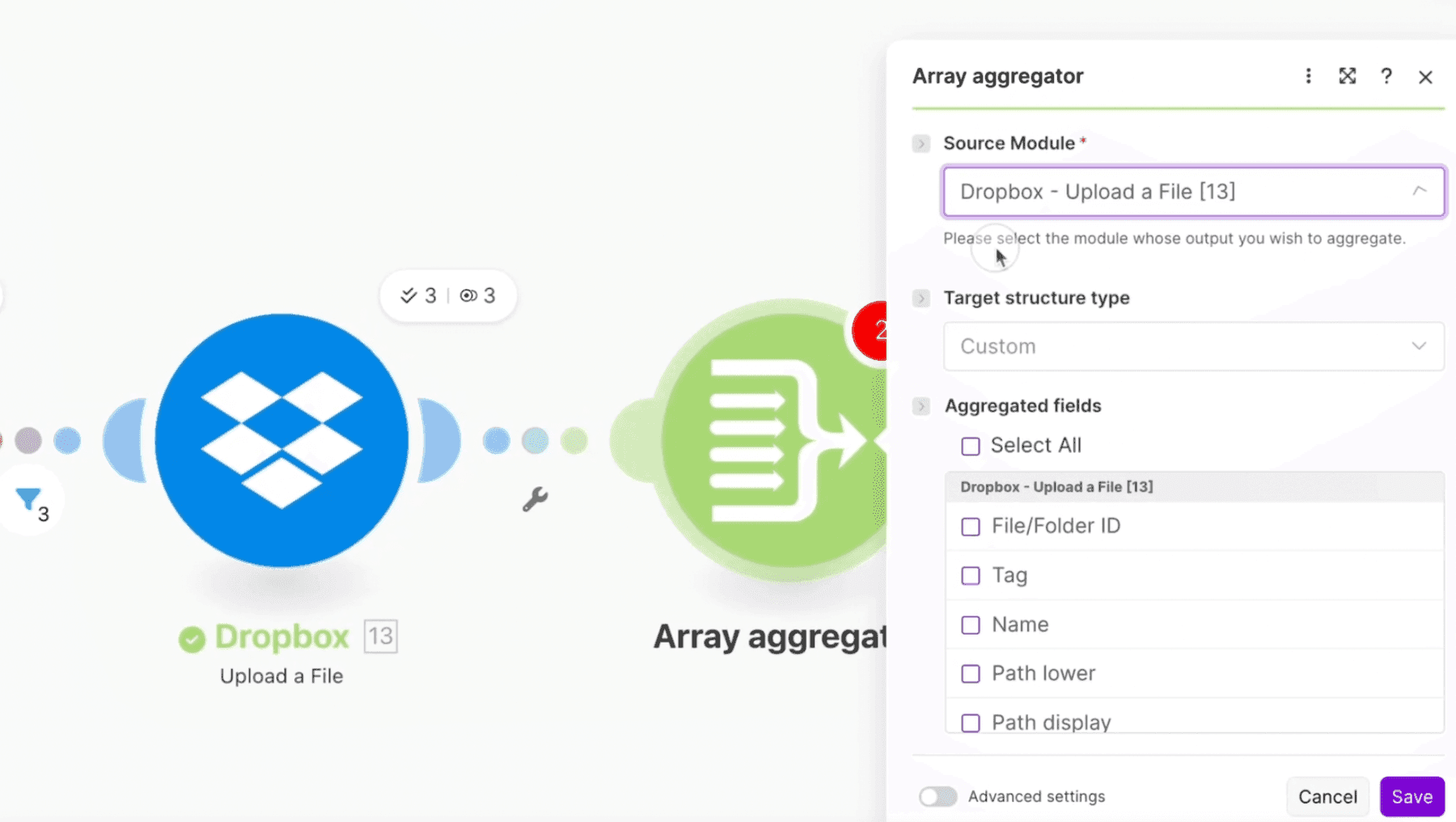
We add the Array Aggregator module so that we wait for every invoice to upload before triggering the Gmail label update.
Module 5: Gmail — Update Email Labels
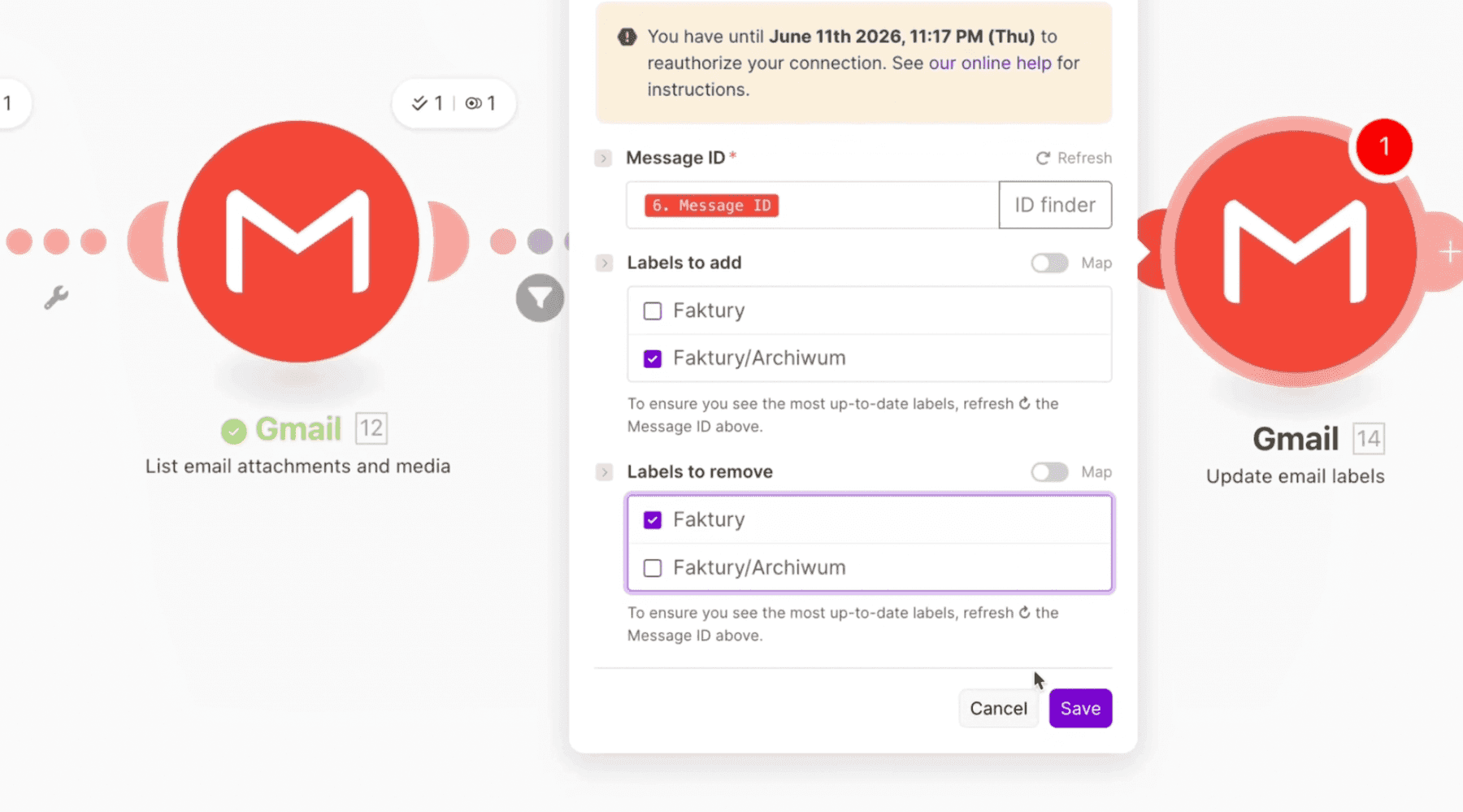
Finally, add the Update email labels module. Remove the “Invoices” label and add “Invoices/Archive”. Processed emails are archived automatically.
How much does it all cost?
It all depends on the number of invoices. To start with, it's worth trying the free plan on Make.com — 1,000 credits per month.
| Plan | Credits | Capacity |
|---|---|---|
| Free | 1,000/month | ~100–200 invoices (single) or ~200–400 (batched) |
| Paid | 10,000 for ~10 EUR | ~2,000–4,000 invoices per month |
What else can you do with this?
- Hook up Google Drive and automatically file invoices by counterparty
- Send Slack notifications when a new invoice arrives
- Automatically categorize invoices based on the sender
Case study
Invoice automation for accountants
Case study
Stripe → wFirma — issuing invoices from the API

Mateusz Kozłowski
Założyciel flowbiz · Ekspert automatyzacji procesów
Wdrażam automatyzacje, integracje i AI w średnich firmach na Pomorzu i w Kujawsko-Pomorskiem.