
Problem: manually moving data out of Hrily
Are you still manually moving caregiver data from the Hrily CRM into your Excels, accounting or marketing systems? If so, you're paying twice: for the system and for your care-agency staff's time.
In this guide I'll show you how to perform the first, critical integration in 10 minutes — connecting the Hrily CRM with Make.com. It will be the foundation for reclaiming up to 20 hours a week in your care agency.
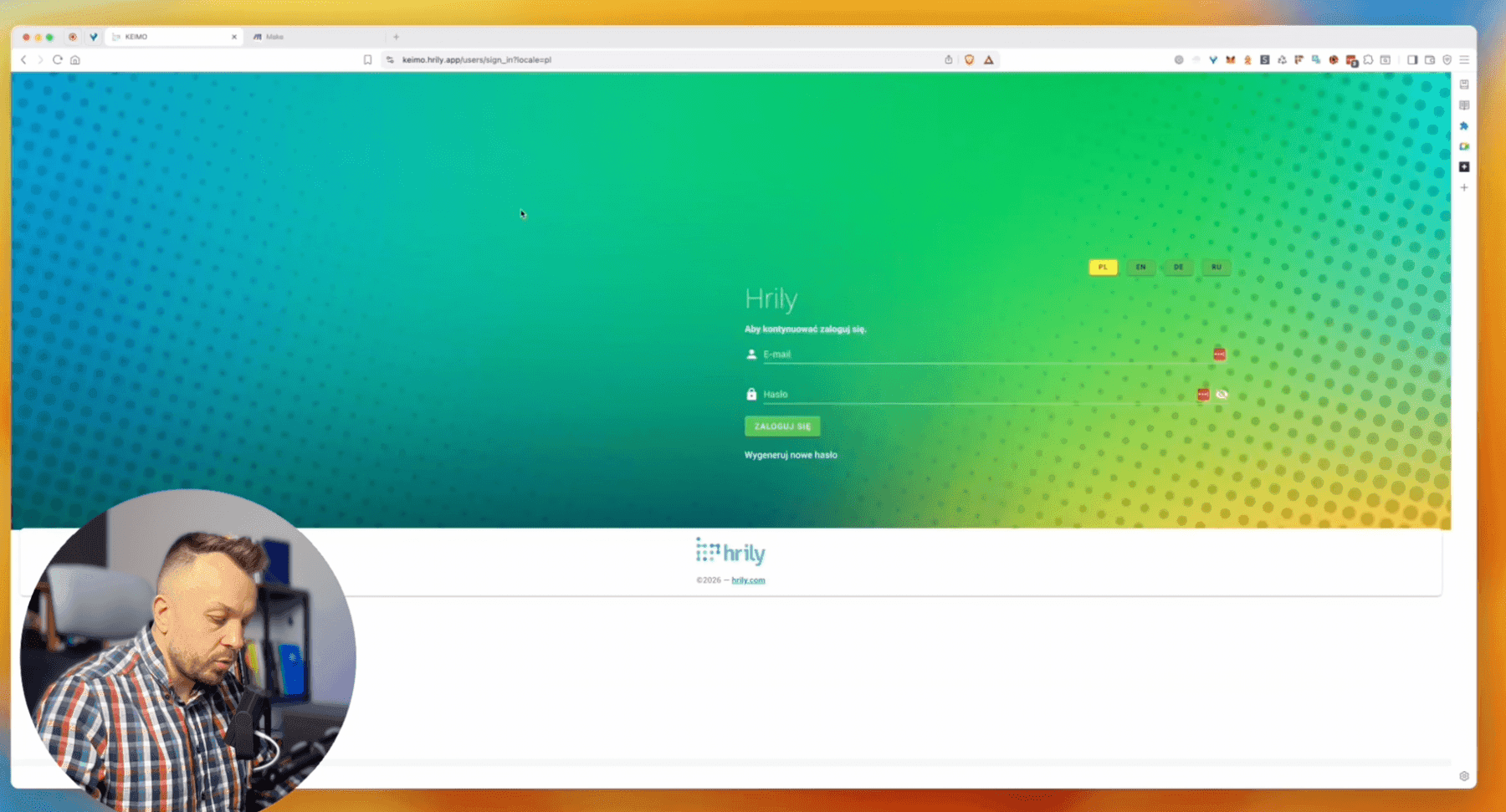
Step 1: capturing the login data
Before we do anything in Make, we need to know how to capture the connection data from Hrily. We'll use the developer tools built into the browser.
Open developer tools
- Go to the Hrily login page
- Press F12 or Ctrl+Shift+I (Windows) / ⌘+⌥+I (Mac)
- Go to the Network tab
- Clear the panel by clicking “Clear”
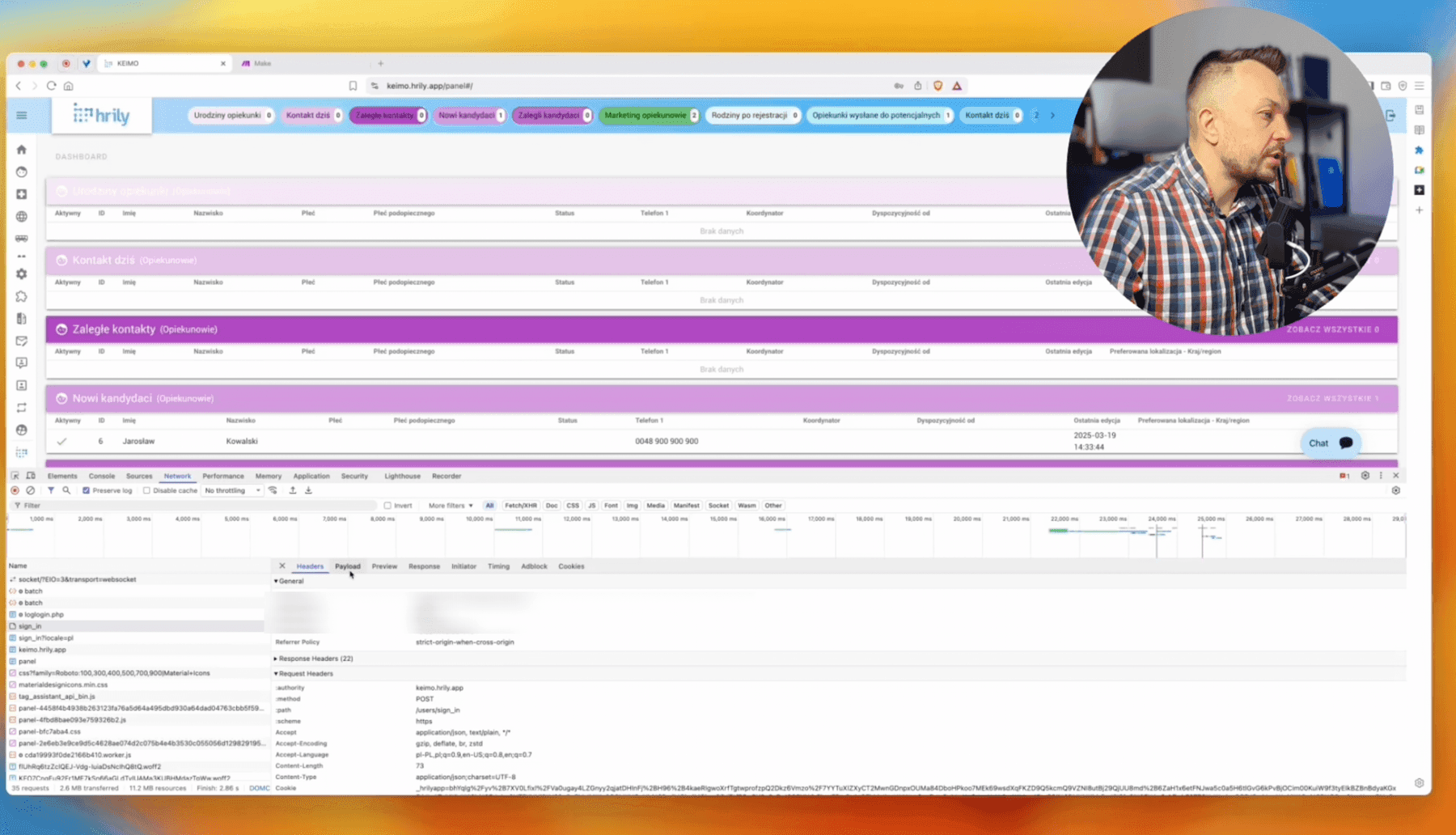
Find the sign_in file
After signing in to Hrily, locate the sign_in file in the request list. Important: we're only interested in sign_in, not sign_in_local.pl.
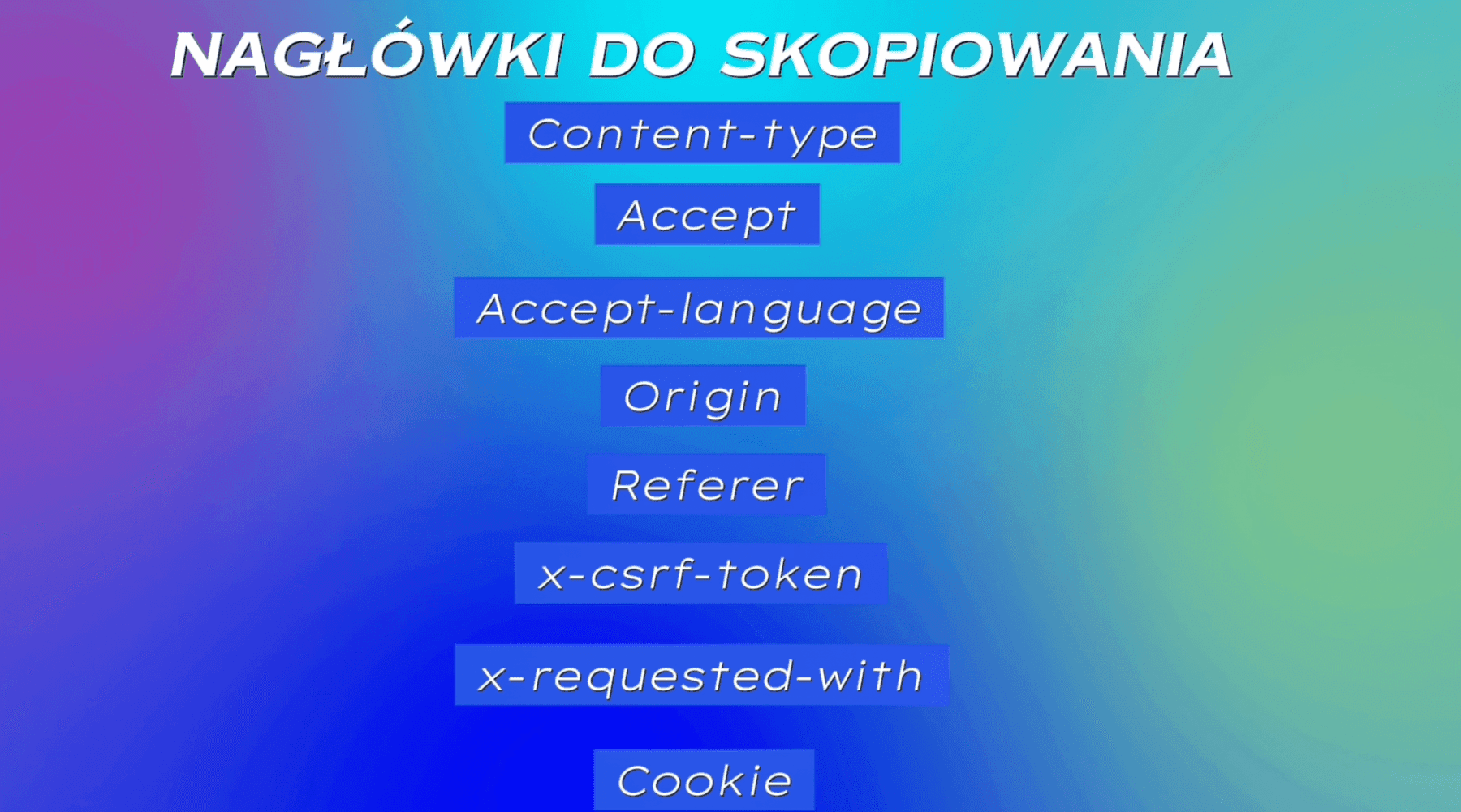
Step 2: logging in from Make.com (POST)
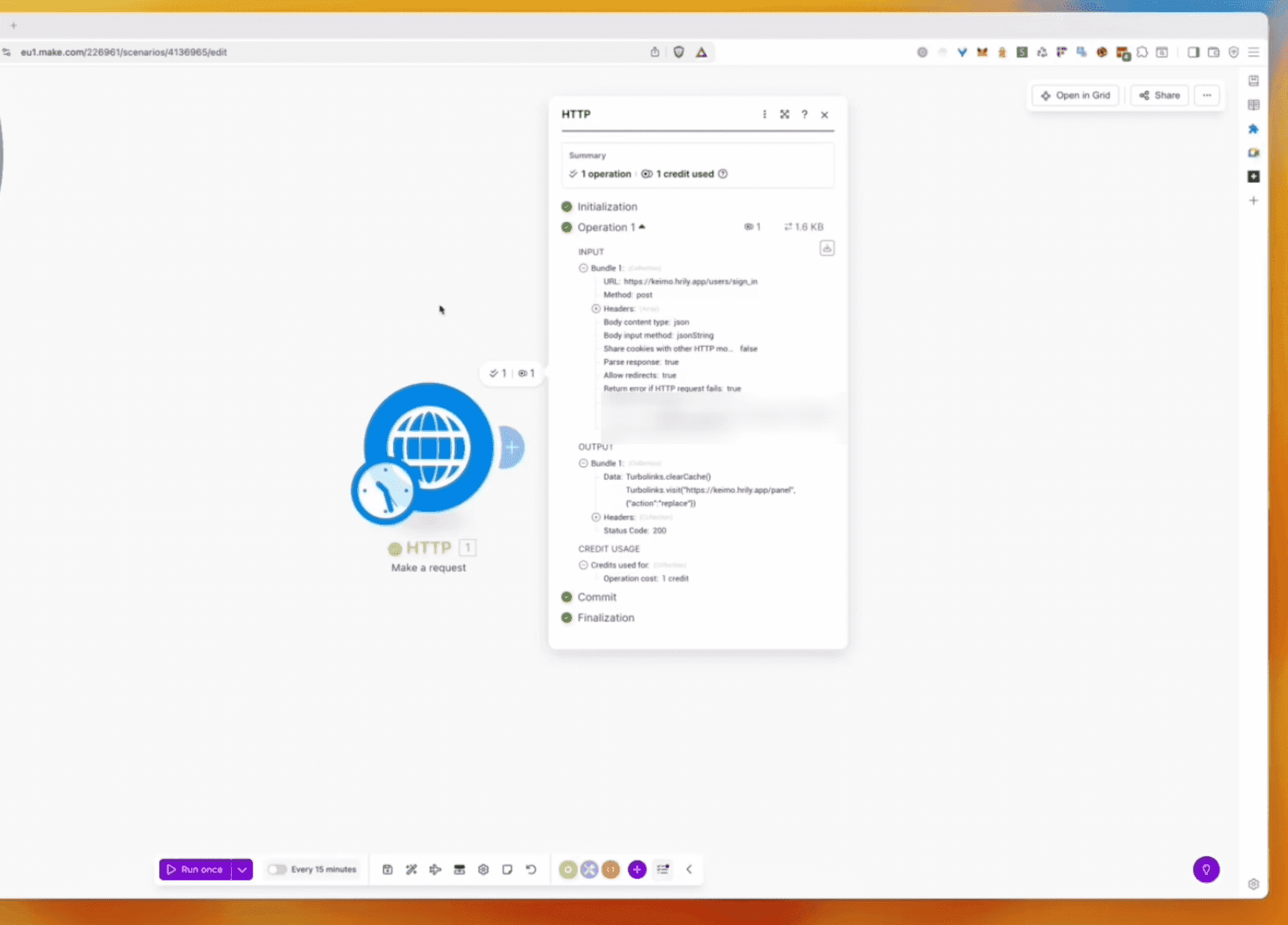
We move to Make.com and create a new scenario. Click “Create scenario” and pick the HTTP: Make a request module.
HTTP module configuration
- Set Authorization type to “No authorization”
- Paste the URL from the
sign_infile (not from the browser bar!) - Pick the POST method — think of it as “entering the safe”
- Add all headers (Headers) from the developer tools
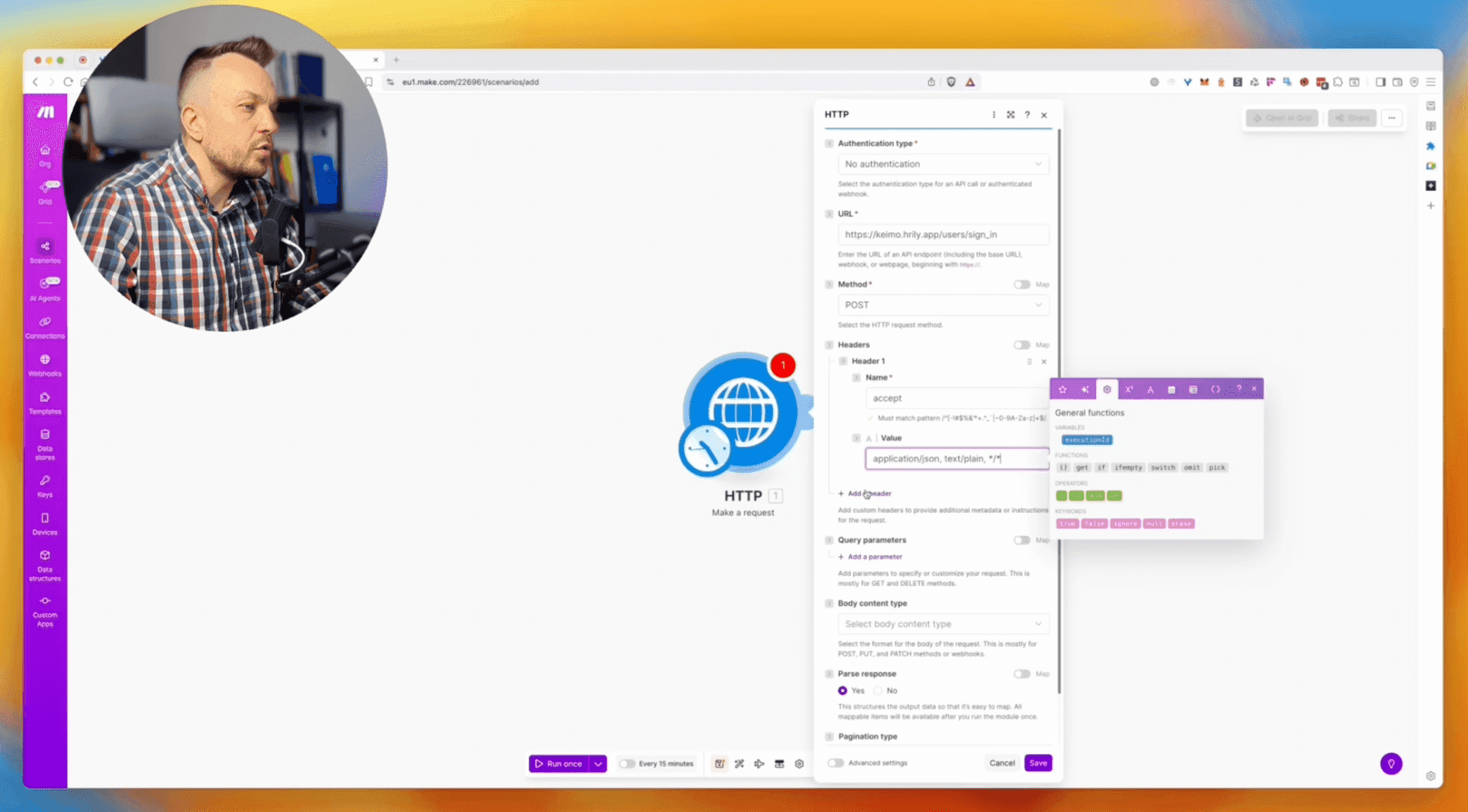
Body (Payload) configuration
In the Body content type section pick “Application/JSON” and “JSON string”. Paste the Payload with the login data (username and password) — you'll find it in the Payload tab in the developer tools.
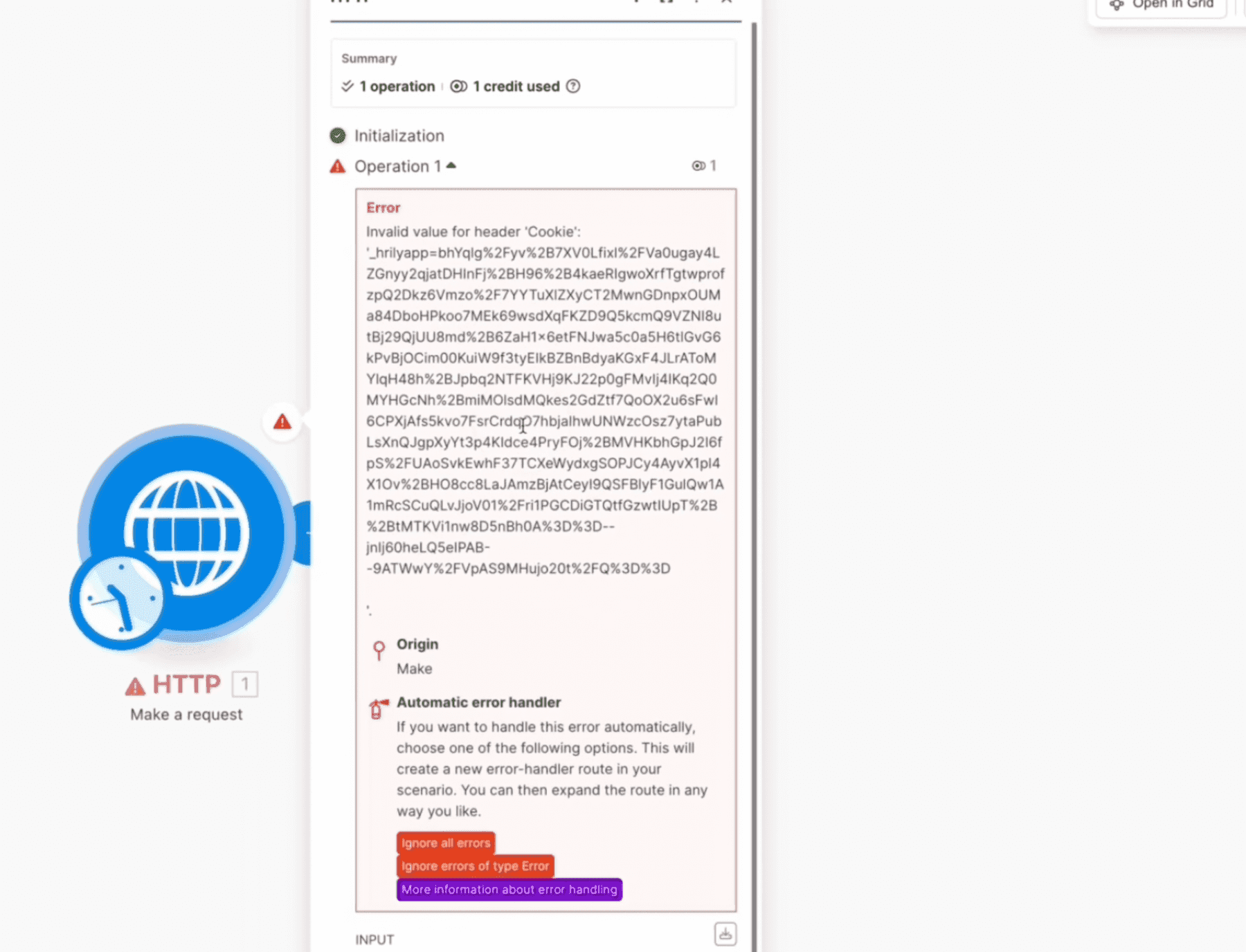
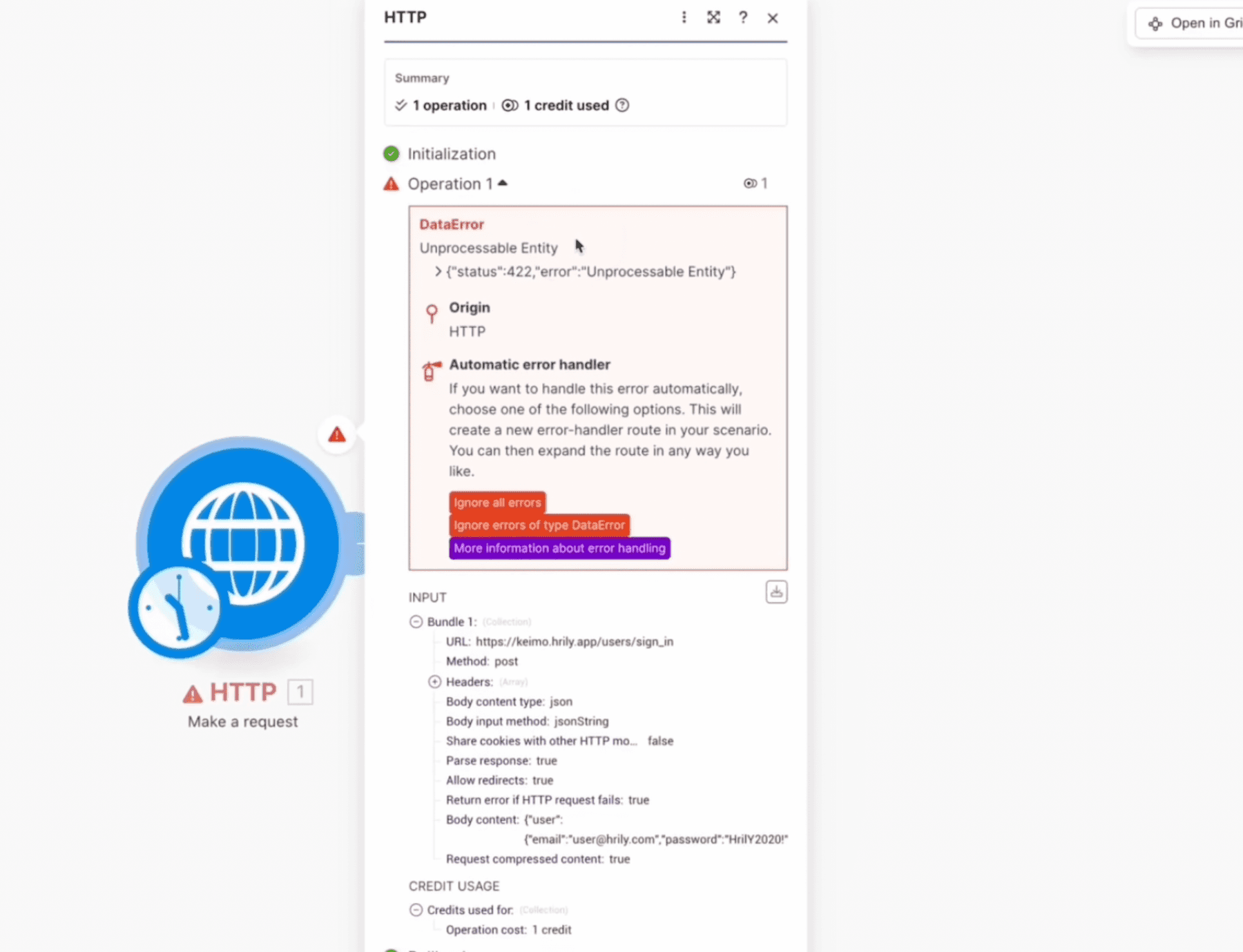
Most common errors and how to avoid them
Most people make the same mistakes. Here's what tends to go wrong:
Step 3: fetching caregiver data (GET)
This is the most important step, the one that will translate into real savings. Now we'll fetch the list of caregivers from Hrily.
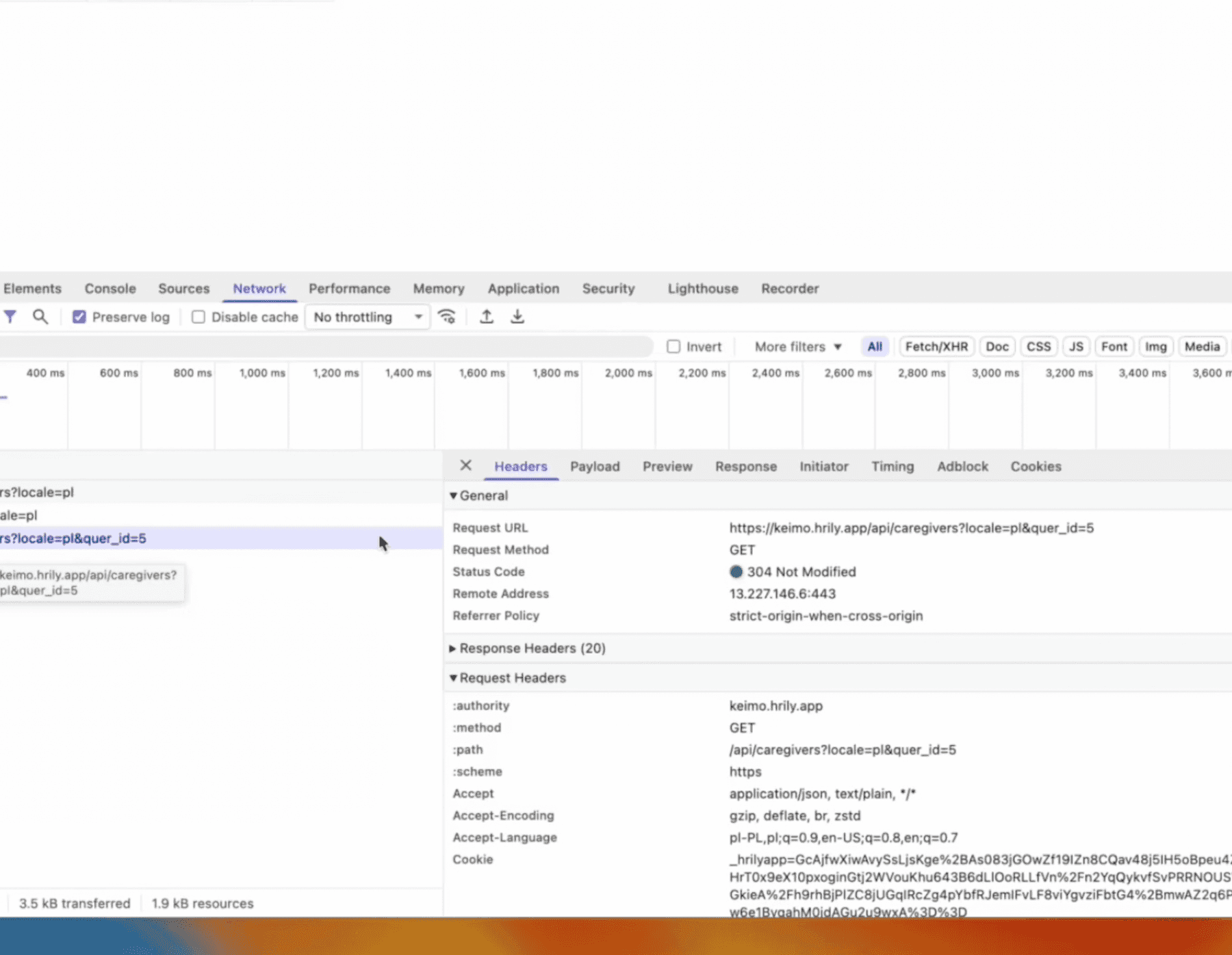
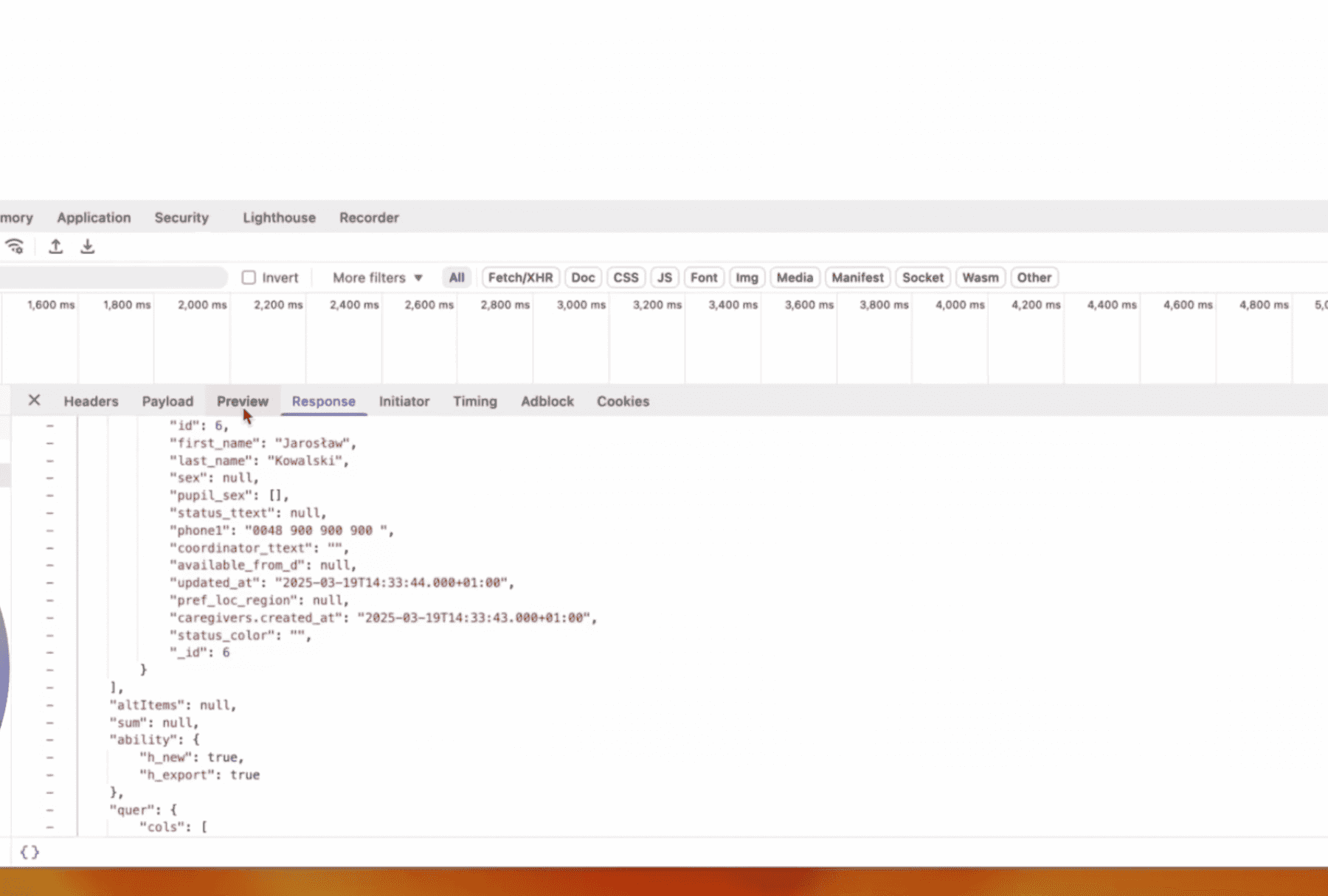
Find the data endpoint
- In Hrily go to the “Caregivers” section
- Pick e.g. “New candidates”
- In developer tools locate the new request
- Copy the URL from that request (not from the browser bar!)
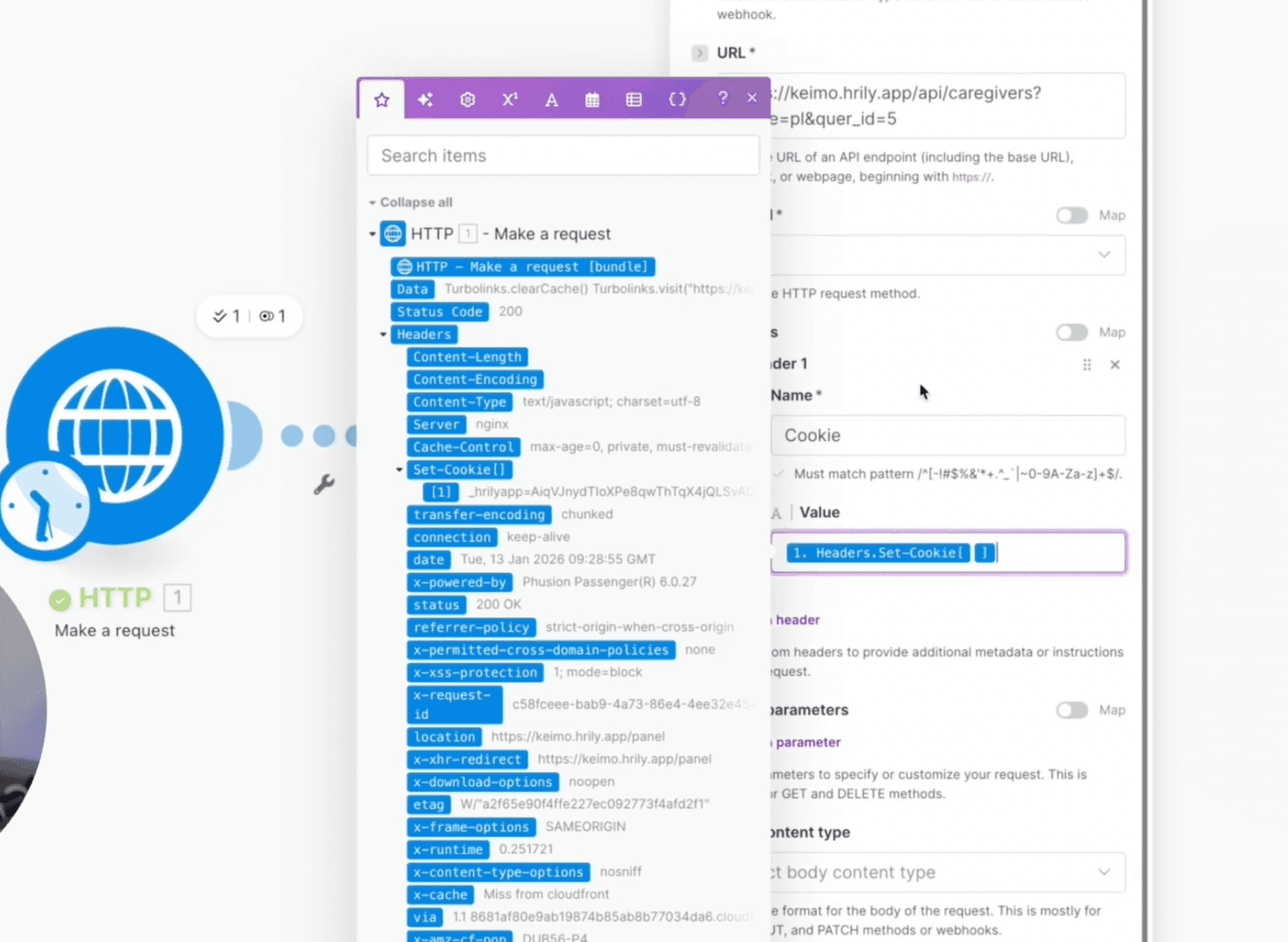
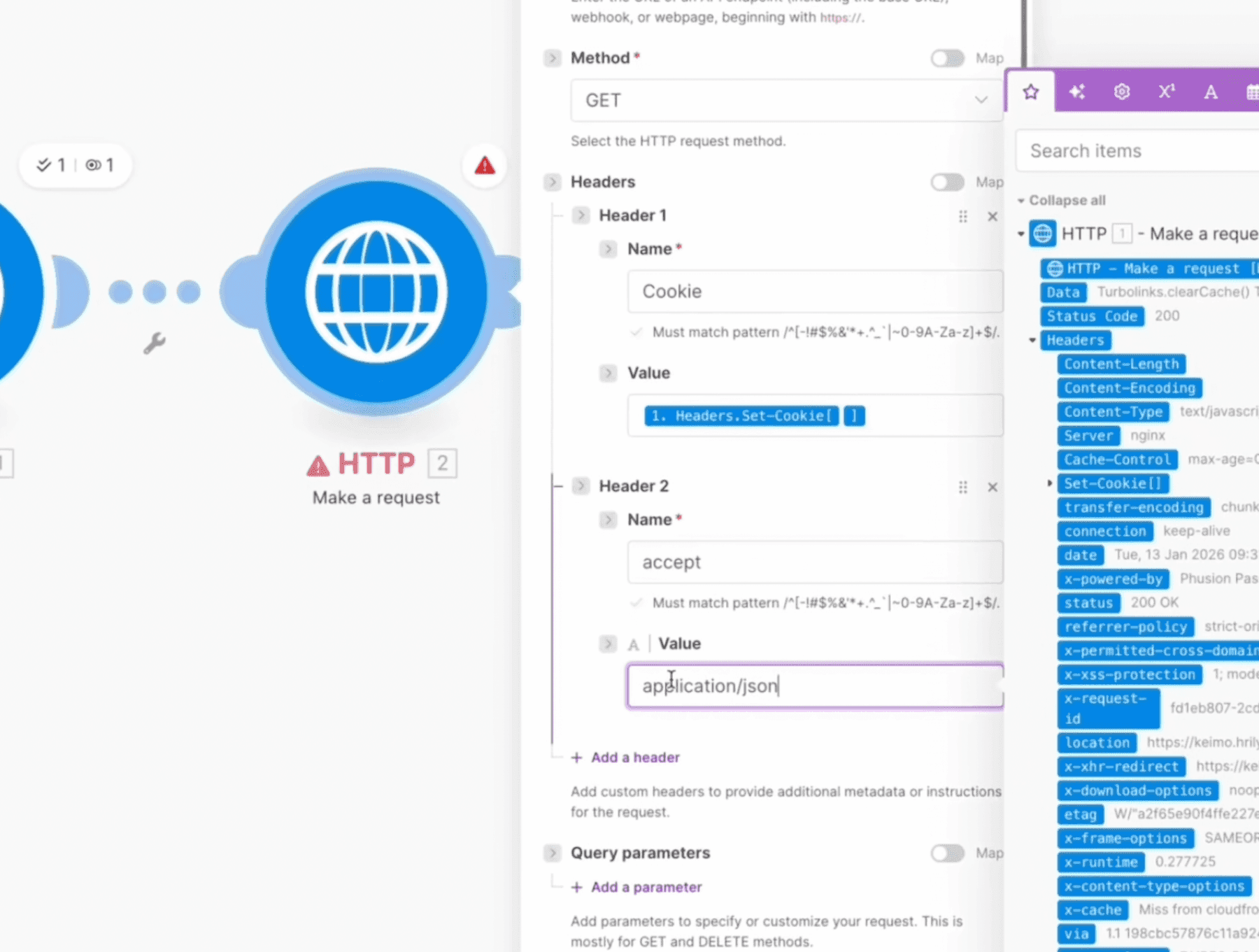
Second HTTP module in Make
Add another HTTP: Make a request module. This time:
- Method: GET (we're fetching data)
- Header
Cookie: use the value from the previous module - Header
Accept:application/json
What's next? AI and unlimited possibilities
Congratulations! You've just performed the first, critical automation for your care agency. You have caregiver data outside Hrily — and only now does the real fun begin.
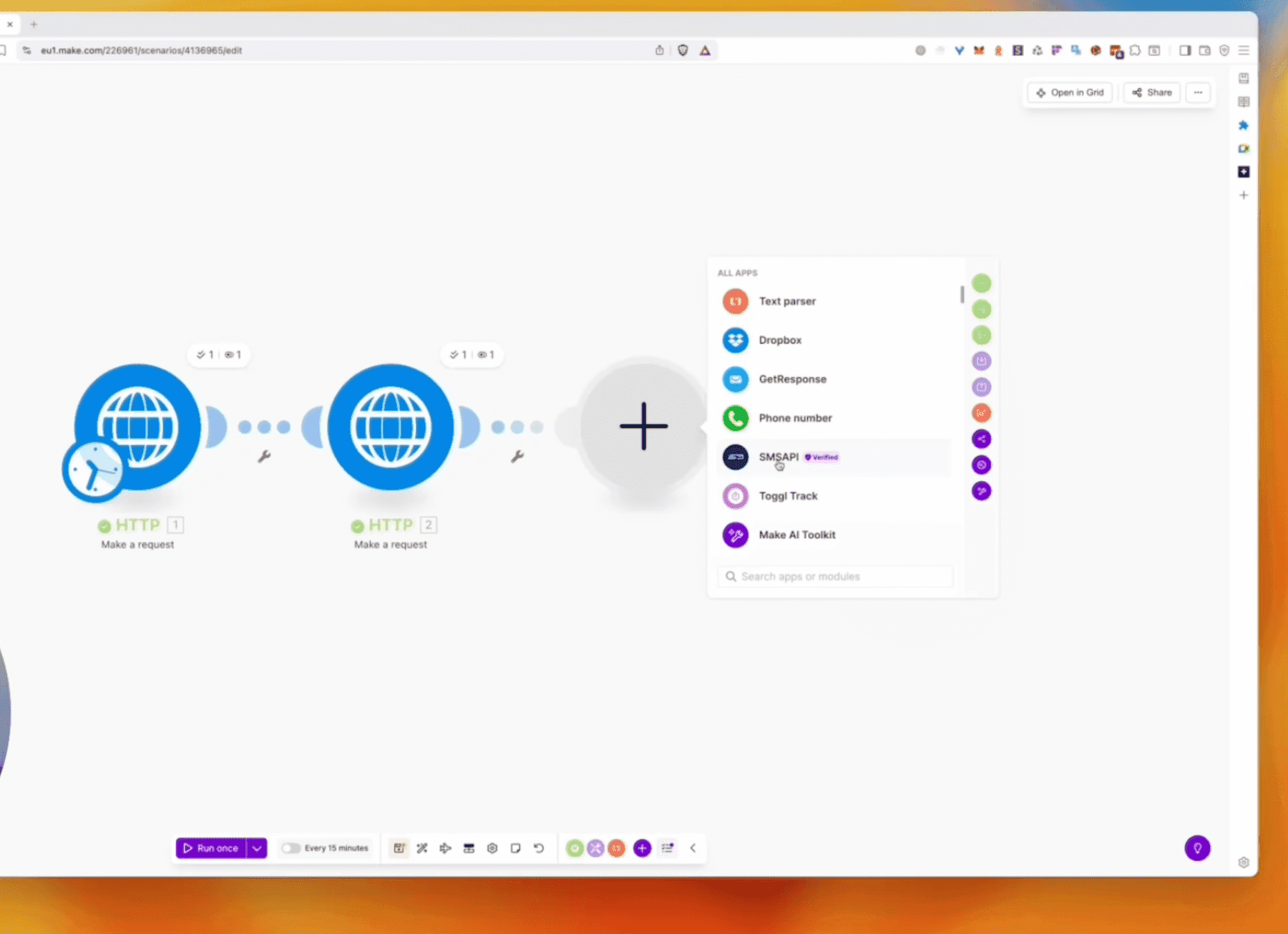
With this data you can do a lot:
- Plug in ChatGPT, GPT-4 Mini or other AI models for CV analysis, generating descriptions, answering candidate questions
- Send automatic SMS to 100, 200, 400 caregivers with a single click
- Sync data with Google Sheets for reporting
- Send notifications to Slack about new candidates
- Integrate with accounting and marketing systems
Make or n8n?
Make is ideal for starting out — simple to use and quick to deploy. But if your agency needs mission-critical automations that have to run, say, every minute, think about n8n on your own server. At that scale and frequency it becomes cheaper and more efficient.

Mateusz Kozłowski
Założyciel flowbiz · Ekspert automatyzacji procesów
Wdrażam automatyzacje, integracje i AI w średnich firmach na Pomorzu i w Kujawsko-Pomorskiem.