
A B2B portal where customers serve themselves
Customers order on their own, at their own prices, and see the status of every line. Sales reps still visit customers, but instead of guessing, they see their orders in one place.
- Live order and delivery status
- Invoices, delivery notes and certificates to download
- Customer price lists and ordering from the portal
- Customer requests land in the office as tasks
Take just this module and add more later.
What eats your time today
An order taken in a conversation, on a slip of paper or over the phone lives only in the sales rep's memory. The customer finds out when the goods don't arrive.
An order travels through several departments as printouts. Each one retypes it, and only whoever held the paper last knows the status.
A customer or distributor waits for a price list or a product sheet because someone in the office has to find and send it. Sometimes from another time zone, in the middle of the night.
We don't start from a blank page
Open Mercato, the open system we use for our rollouts, already has the screens this module stands on. We build what your process is missing.
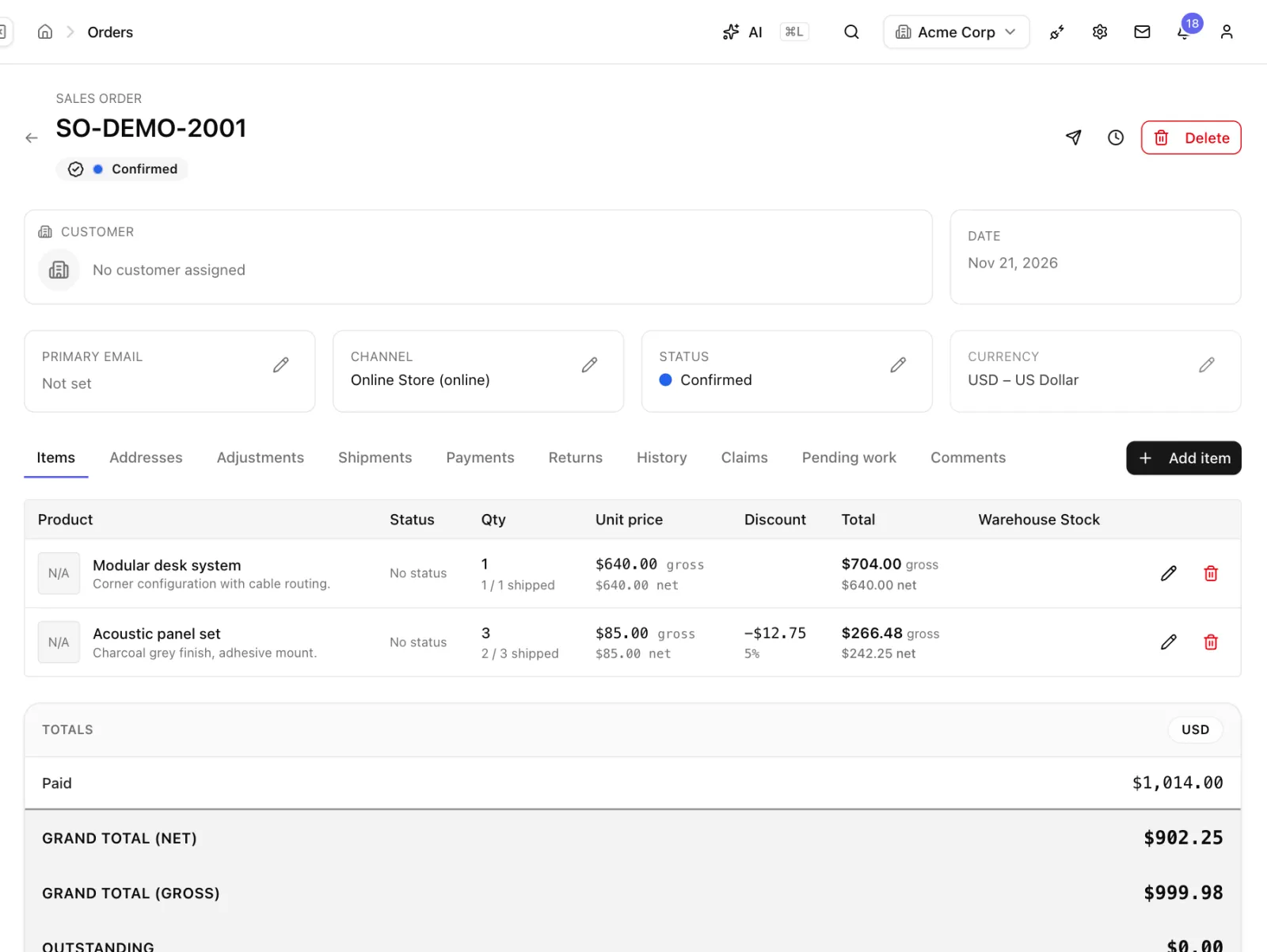
- Orders with the state of every line: how much shipped, how much is waiting
- Shipments, payments, returns and claims on the order
- Stock level on every line
- Customer portal: accounts, roles, invitations and sign-in by email link
- Pricing rules per sales channel
On top of that we build the rest: your steps, rules and integrations.
The building blocks of your system
Each of these modules already runs in systems and mockups we built for manufacturing, trading and service companies. Pick a module and watch it work — then we will show it live on a free 30-minute consultation.
B2B customer portal. Customers check order status and download documents themselves. The office stops answering emails.
Service and tickets. Ticket, technician and appointment in one place. Customers see the status without calling.
Production planning. See what is on each workstation. Delays show up before the customer calls.
Timesheets and shop-floor time. Workers log time on a tablet on the shop floor. Each morning you see yesterday, and HR gets a ready file.
Quotes from inquiries. Drop in the customer's Excel and the system matches lines to stock. Quotes in minutes, not days.
Sales and CRM. Every inquiry has an owner and a next step. The system reminds you before the lead goes cold.
Warehouse and order fulfilment. Orders reserve stock, issuing takes it off. Stock matches the shelf.
Compliance documents. Declarations built from material and batch data. Suppliers fill in their own data.
Product catalogue. One product card for your shop, B2B and marketplaces. Change descriptions and photos in bulk.
Margin and purchase invoices. KSeF invoices come in by themselves, matched by EAN. You see real margin, not markup.
Simplified screens, made-up data — we show the real screens on the call.
How it works with the module
- 1The customer orders in the portal
The first screen has one button: place an order. Customers see their products and their prices, and can repeat a previous order.
- 2Every line has its own status
The order status is calculated from its lines, so a partly ready order is visible right away. Customers get an email when something changes instead of calling.
- 3The order lands in your ERP
No retyping and no extra button. Products and prices stay in your ERP, and the portal syncs with it regularly.
- + ERP and accounting integration
- + Supplier portal
- + Email and SMS notifications
Questions about this module
Will we still need sales reps?
Yes. The system doesn't take the route away from your sales reps, it takes away the guessing. Each rep has their own view with only their customers: what they ordered, what's ready, what's waiting. A customer who prefers to call still calls, and the rep enters the order for them.
Will customers know where to start?
The first screen has one thing to do: place an order. Anything your company doesn't use is hidden. We learned this at a demo where the owner got stuck on a start screen with too much on it.
Does it have to be an app from the store?
No. The portal runs in the browser, and a home-screen shortcut looks like an app. A separate store app only makes sense if you need push notifications, and then we price it separately.
Will the B2B portal work with my current ERP?
Yes, that's the usual setup. Your ERP stays the single source of products and prices, the portal pulls them regularly, and accepted orders go back into the ERP. In the consultation we check how your system exposes data: an API, an integration module from your vendor, or files.
Do I have to launch it for all customers at once?
No. We start with one group of customers or one market and take them through the whole order path, across all departments. More groups follow once the first one works.
Configure a system with this module
Three steps, about a minute. At the end you leave an email or phone number and the person who will configure it with you gets in touch.